
GuideGetting started
Install and first mock
Install Mockrew, learn the panel layout and create your first mock rule in a minute.
Mockrew is a Chrome extension for API mocking. It intercepts fetch and XMLHttpRequest inside the page and returns the response you configured, or rewrites headers and redirects URLs at the browser’s network request layer. Rules stay active on every page — whether DevTools is open or not.
Why not a proxy
- No certificate to trust. Interception happens in the page, so there is no MITM proxy and no HTTPS warning.
- No backend change. You mock the API the app already calls; nothing needs to know about it.
- No external service. Rules live in your browser’s extension storage and never leave the machine.
Install
- 1Install Mockrew from the Chrome Web Store.
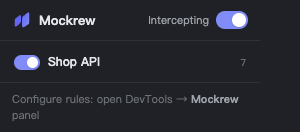
- 2Pin the extension to the toolbar. The popup shows the global switch, the project count and a shortcut into the panel.
- 3Open any page you want to debug. Requests are intercepted as soon as an enabled rule matches.
Open the panel
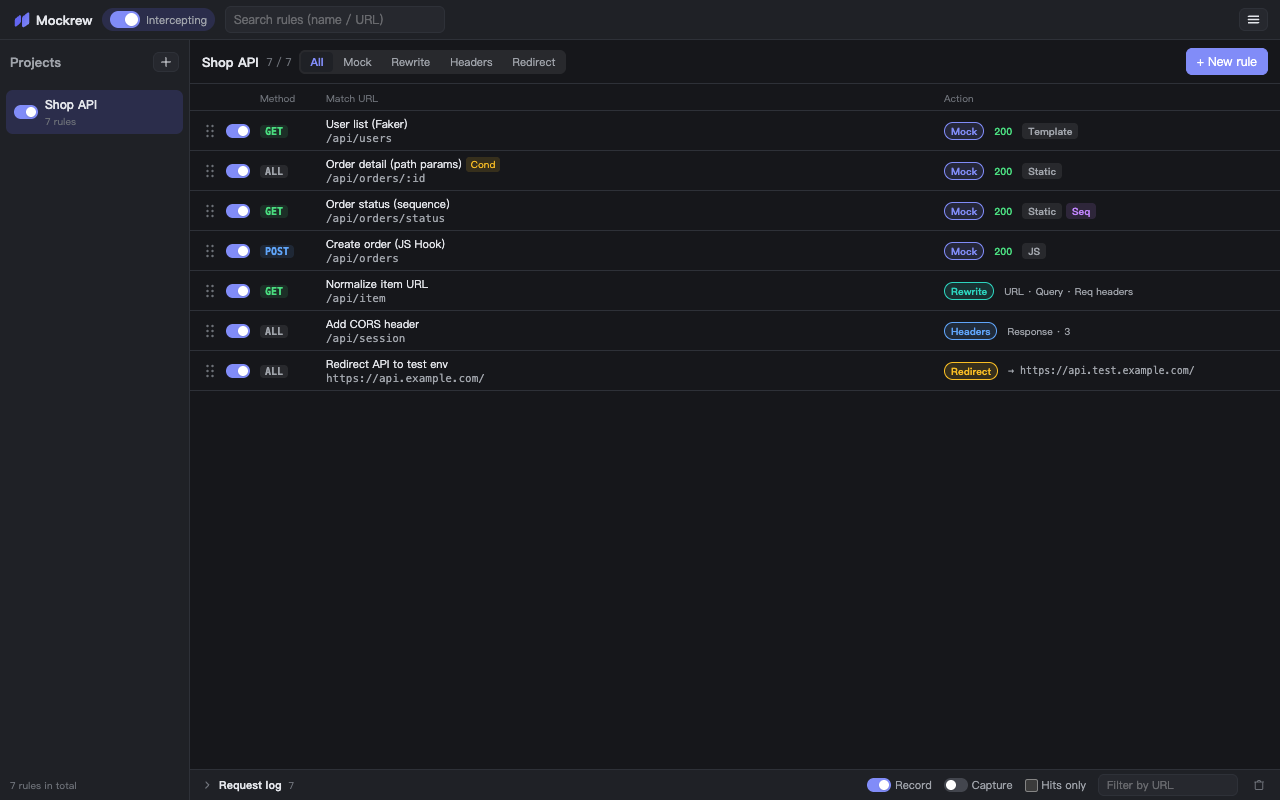
Open Chrome DevTools (F12 / ⌥⌘I) and switch to the Mockrew tab. The panel is your rule manager and request log: projects on the left, rules on the right, the request log at the bottom.
document_start and keeps working while DevTools is closed.Create your first rule
- 1Click + New rule in the rule list.
- 2Set the match: request method, match mode and URL — e.g. GET, Contains,
/api/users. - 3Pick an action. Mock is the common one: it answers the request itself.
- 4Set status, delay and a JSON body. Every change is saved automatically — there is no save button.
- 5Reload the page. Matching requests now return your mocked response.
The demo project
A fresh install ships with a Demo project containing a few example rules (a Faker user list, a path-params demo and a 500 error). They are ordinary rules: edit them, use them as a starting point, or delete the project.
Stuck, or need something clarified? support@mockrew.com·Terms of Service